K-pop Ticketing Practice: Seat Drills and Real Account Checks

K-pop ticketing practice needs two separate checks: a seat-map drill and preparation on the real seller. A game cannot verify your identity or predict a card payment. Start with your own show's requirements, then rehearse the order of your choices. Below, a past DAY6 notice shows why generic queue tips can be misleading.
Official sources checked on 17 November 2026 KST. The DAY6 notice below is a past-event example, not a rulebook for every NOL World show. Reopen your own show's page before the sale.
What can a ticketing practice game train, and what can't it?
One example that appears for this kind of search is TICKEDO. Its own introduction describes drills for choosing a section, selecting a seat and handling payment conflicts. The site also says it is independent of ticket sellers. We checked that description, but did not test the game or measure whether it improves ticket-buying results. A simulator example is not an endorsement or a substitute for the seller's instructions.
Use a drill to rehearse reading a map and making a choice. Then leave the game and check your own account separately. Identity or membership checks may block an earlier step; payment can fail later, after seat selection. Reading the supported payment methods in advance does not establish that a particular transaction will be approved. Do not enter your ticket-account password or real payment details into a practice game.
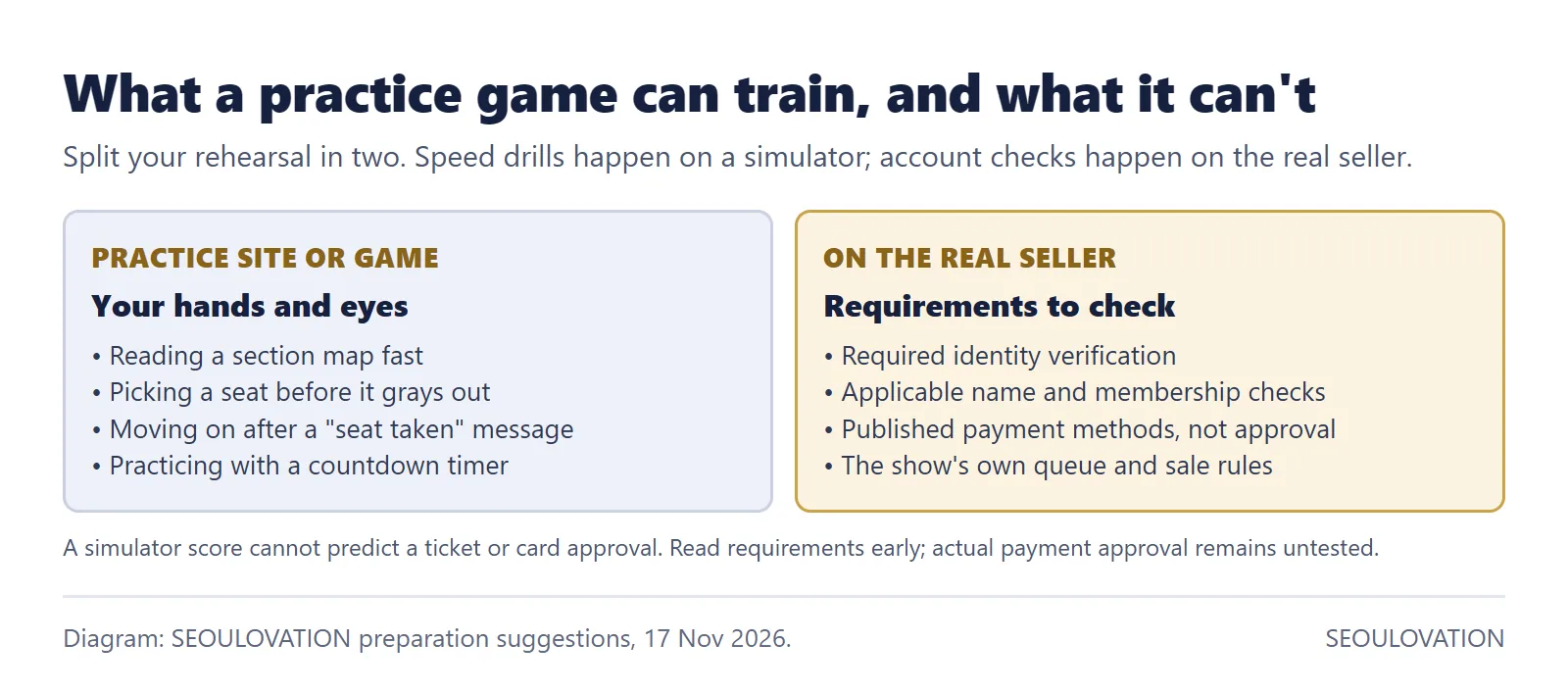
Take one thing from each: use a drill to rehearse the order of your seat choices; use the real seller to check your account and the event requirements. Neither exercise can promise a successful payment or an available seat.
Interpark ticketing practice: check the rule for your show
Interpark Global became NOL World on 1 December 2025, according to the operator's rebranding notice. Use the current official page for your event. A guide for the Korean NOL Ticket service or another seller may not describe the same process.
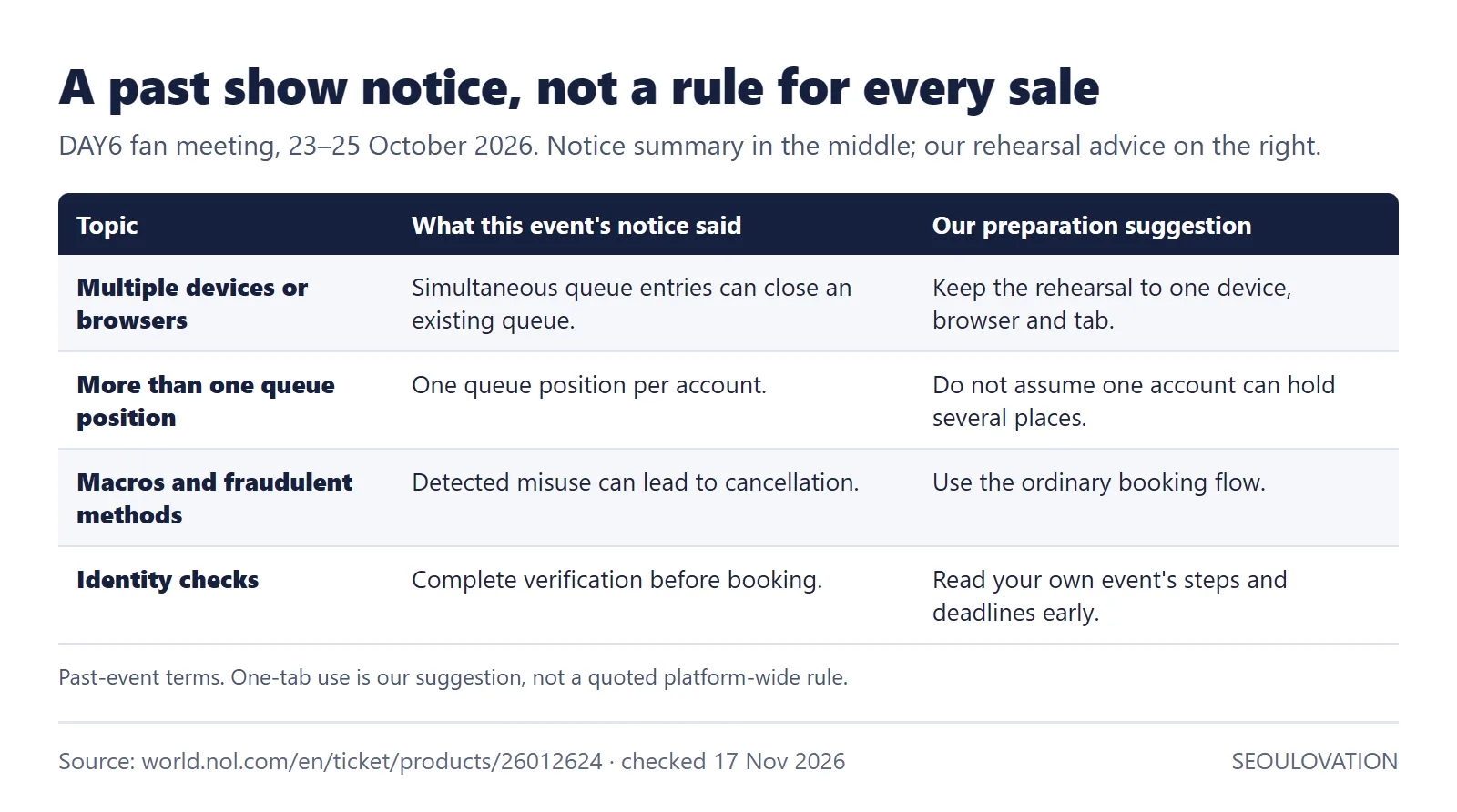
For a concrete example, we checked the NOL World notice for DAY6's fan meeting held on 23–25 October 2026. That event is over. Its notice limited each account to one queue position, warned that simultaneous entries from multiple devices or browsers could close an existing queue, and required identity checks before booking. It also warned of cancellation for detected fraudulent methods, including macros. Those are the terms of that event's notice, not proof that every show has identical terms.
Our rehearsal suggestion is to use one device, one browser and one tab so the sequence stays simple. The one-tab choice is our conservative recommendation, not a quoted platform-wide rule. The notice's per-account limit also does not, by itself, establish a separate rule about how many accounts someone may own. Follow the account and purchase limits printed for your event.
Fast in practice but still missing tickets?
Speed only matters once you're inside the seat map. If you never got that far, check these first:
- Did you finish the checks required by your show? Read its identity and membership instructions separately. Our guide to NOL World verification errors covers the usual causes.
- Did you change devices or reopen the queue? Check the rule printed for your event before trying again. Do not assume a simulator and a live sale handle that action in the same way.
- Did payment fail at the last step? Use the seller's stated payment methods and help page. If you get an error, note its wording without sharing card details and ask the seller or card issuer about that transaction. We did not test a payment and cannot confirm that a particular card will work.
- Was it the sale you were eligible for? Write down the event, date, seller and sale type together. Check the official page rather than assuming a membership window and a ticket-sale window mean the same thing.
A rehearsal checklist for the week before the sale
This is a suggested preparation order, not an official seven-day deadline or a tested formula for winning tickets. Start as early as you can, but follow the dates on the event page. If a required window has already closed, a practice game cannot reopen it.
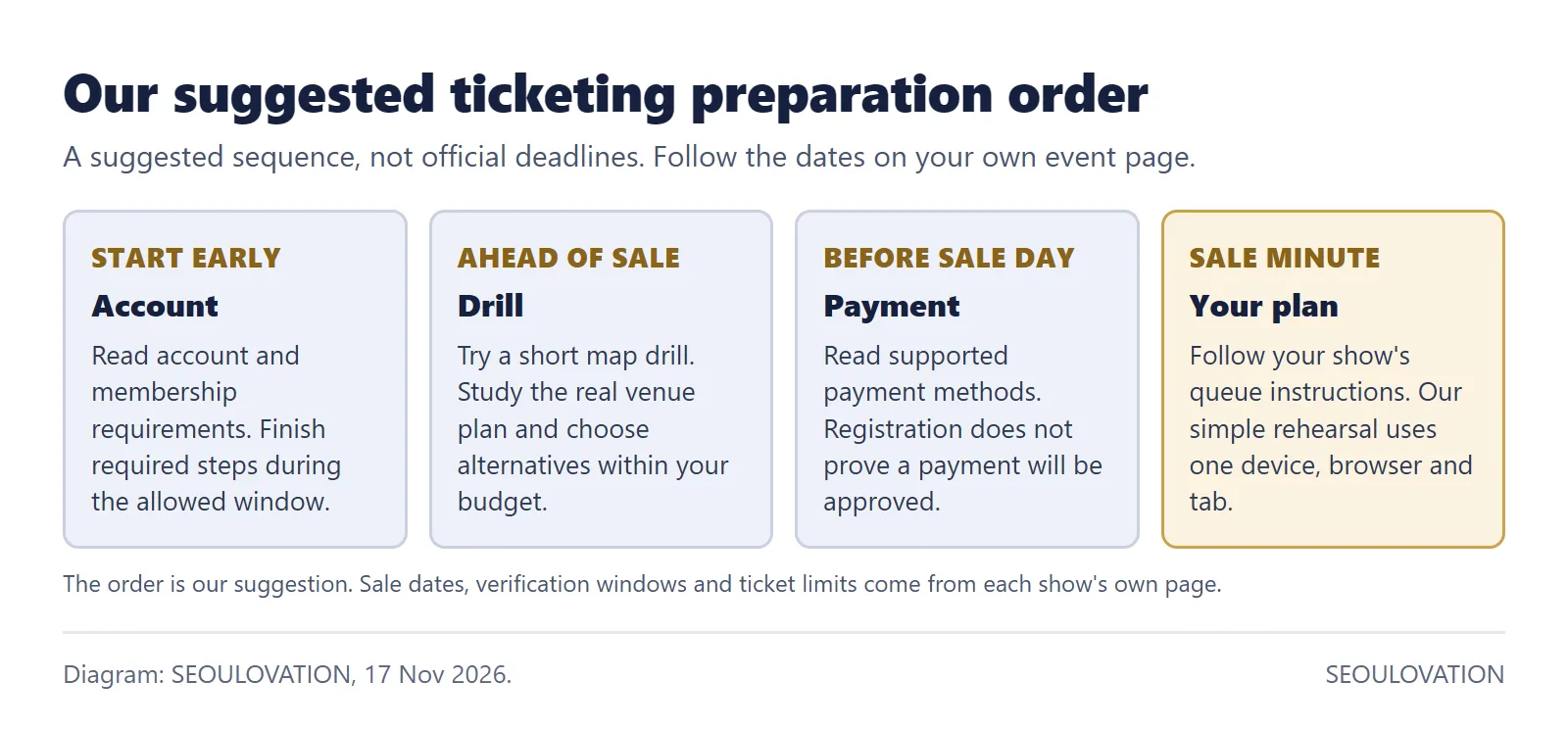
- Early preparation: read the account and membership requirements. Put each deadline on your note. Complete the required checks during the allowed window; do not assume the ticket-sale date is also the verification deadline.
- Ahead of the sale: try a short seat-map drill if helpful, then study the actual venue map. Choose a first section and alternatives within your budget. A fast score on an unrelated seating plan is not the same as knowing which section you want.
- Before sale day: check that you can log in and read the seller's published payment information. If it offers card registration, that step still does not prove a later payment will succeed. Do not make a real booking just to test checkout.
- When the sale opens: follow that event's queue instructions and use the prepared seat choices. Our one-device, one-browser, one-tab rehearsal keeps the process simple; it does not guarantee a place or a ticket.
Convert the sale time once, in KST
Korean sales are announced in KST (UTC+9), and Korea doesn't use daylight saving time. Write the sale time in KST on your note first, then convert it to your city once. A 12:00 KST sale, for example, starts at 22:00 the previous evening in New York while it is on standard time (UTC−5), so check the date as well as the hour. Our suggestion is to set two alarms: one 30 minutes before to log in, and one at the minute itself.
What can't practice fix?
No practice game guarantees a ticket. Your practice score does not tell you how many seats will be available when you reach the real sale. If you miss out, our guide to canceled ticket releases on Interpark (NOL) explains a past example on the domestic NOL Ticket service; its timing is not a NOL World rule. For the past DAY6 example, the notice allowed online sales until 5 hours before the event only if seats remained. That is an archived condition, not an offer of tickets today. Check your own event's current sales window and availability.
What to do next
Open your show's NOL World page and read its notice section.
Check the required verification steps and their deadlines on your own account.
Then run a few practice rounds and choose your back-up sections.
Related guides
- NOL Ticket in English: which site and app to use
- Interpark Global verification failed? How to fix it on NOL World
Official sources
- NOL World: DAY6 5th fan meeting page, notice section (queue, devices, macro and verification rules)
- NOL World: interpark Global rebranding as NOL World (1 December 2025)
- TICKEDO: practice site and its non-affiliation statement
Written and checked by the SEOULOVATION team on 17 November 2026. We read the linked official notices and the practice site's introduction. We did not book tickets, test card approval or measure the practice site's results. Preparation steps are our suggestions; event requirements remain the seller's.
Diagrams: SEOULOVATION, drawn from the linked NOL World notices. Cover: AI-generated image of a desk set up before an online ticket sale.
Cover photo: AI-generated image, made for SEOULOVATION.


Comments
Post a Comment